iPay Prank Sound: Apple Pay Sound Prank & Whip Crack App
Play a realistic Apple Pay-style payment ding with one tap, and now swing your phone like a whip to hear a loud, realistic CRACK!
- Free
- No ads
- No in-app purchases
- No account
- Works offline
- No tracking
The Apple Pay sound prank, now with a whip
iPay Prank Sound is a free prank soundboard for your phone. Tap once and it plays a bright, realistic Apple Pay-style payment sound, the "ka-ching" ding everyone recognises from the checkout. People look around, check their phones and wonder whose payment just went through. It's the simplest, funniest fake payment sound prank I could build.
Version 2.0 adds Whiplash: hold your phone, snap your wrist like you're cracking a whip, and it fires a loud whip crack sound with a punchy vibration and a cartoon "CRACK!" pop. It's the classic "whip your phone" gag, the famous whip app as seen on TV, built into the same free app. If you'd rather not swing, a big Tap to Crack button does the same thing.
It's free on Google Play right now, and an iPhone version is coming soon to the App Store as Ka-Ching! Prank Sounds. No ads, no in-app purchases, no sign-up, and it works completely offline.
Apple Pay-Style Sounds
Two payment sounds: Pay Ding, a bright, punchy ding, and Pay Chime, an upbeat success chime. Tap a tile and it plays instantly.
Whiplash (New)
Swing your phone like a whip and hear a realistic whip crack, with a vibration and a cartoon "CRACK!" flash. Or just tap the button.
Fake Payment Receipt
Type an amount, tap Send and watch a full-screen cartoon "payment sent" animation play with your chosen sound. (Android)
Favorites & Prank Counter
Star the sounds you use most, and keep score with a running "pranks played" counter. Every ding and every crack counts.
100% Offline
No internet needed, ever. No sign-up, no login, no ads and no tracking. Just open it and prank.
Dark Mode, Volume & Haptics
Light and dark themes, an in-app volume control and haptic feedback you can turn on or off, so every prank feels just right.
Crack the Whip! The phone whip sound prank, in your pocket
Ever wanted to make a whip sound with your phone? Hold your phone tight and snap your wrist like you're cracking a whip. CRACK! A loud, realistic whip-crack sound fires instantly, with a punchy vibration and a cartoon "CRACK!" flash. Perfect for pranking friends, startling your roommate, or "whipping" your coworkers back to work.
- Grip it - Open the Whiplash tab and hold your phone firmly in your hand.
- Snap your wrist - Flick it like you're cracking a real whip: a fast wrist rotation with a sharp stop at the end.
- CRACK! - The whip crack sound plays instantly, your phone buzzes and a cartoon "CRACK!" pops on screen.
Not in the mood to swing? Tap the big Tap to Crack button and the whip cracks without moving at all. It's also handy on devices that don't have motion sensors. And please, as the app itself says: "Keep a firm grip — swing it, don't throw it!"
Smart swing detection, so your pocket never cracks
Whiplash uses your phone's motion sensors (the accelerometer and gyroscope) to detect a real, whip-like swing. It needs a fast wrist rotation and a sharp jolt together, so a plain shake, walking around or a phone bouncing in your pocket won't set it off. It's a proper shake-to-whip, swing-to-crack sound app, not a jumpy "shake for sound" toy.
You stay in control, right on the Whiplash page:
- Swing strength slider - Four levels: Light, Medium, Firm and Hard. Firm is the default. Lower it if your swings don't register; raise it if it cracks too easily.
- "Swing to crack" switch - Turn motion off completely and crack the whip with the button only.
- Tap to Crack - A big whip sound button that cracks without swinging.
- One crack at a time - A new swing is ignored until the current crack finishes, so it never turns into a noisy pile-up.
- Your settings, your volume - Every crack plays at your in-app volume, buzzes if haptics are on, and counts toward your prank counter.
| Swing strength | Best for |
|---|---|
| Light | Gentle flicks; try this if your swings don't register |
| Medium | A relaxed wrist snap |
| Firm (default) | A proper whip-like swing; ignores everyday shaking |
| Hard | Big, dramatic swings only; for when it's too eager |
How the Apple Pay sound prank works
The Sounds tab is a simple prank soundboard built for speed, so you can pull off the prank at the perfect moment without fumbling through menus.
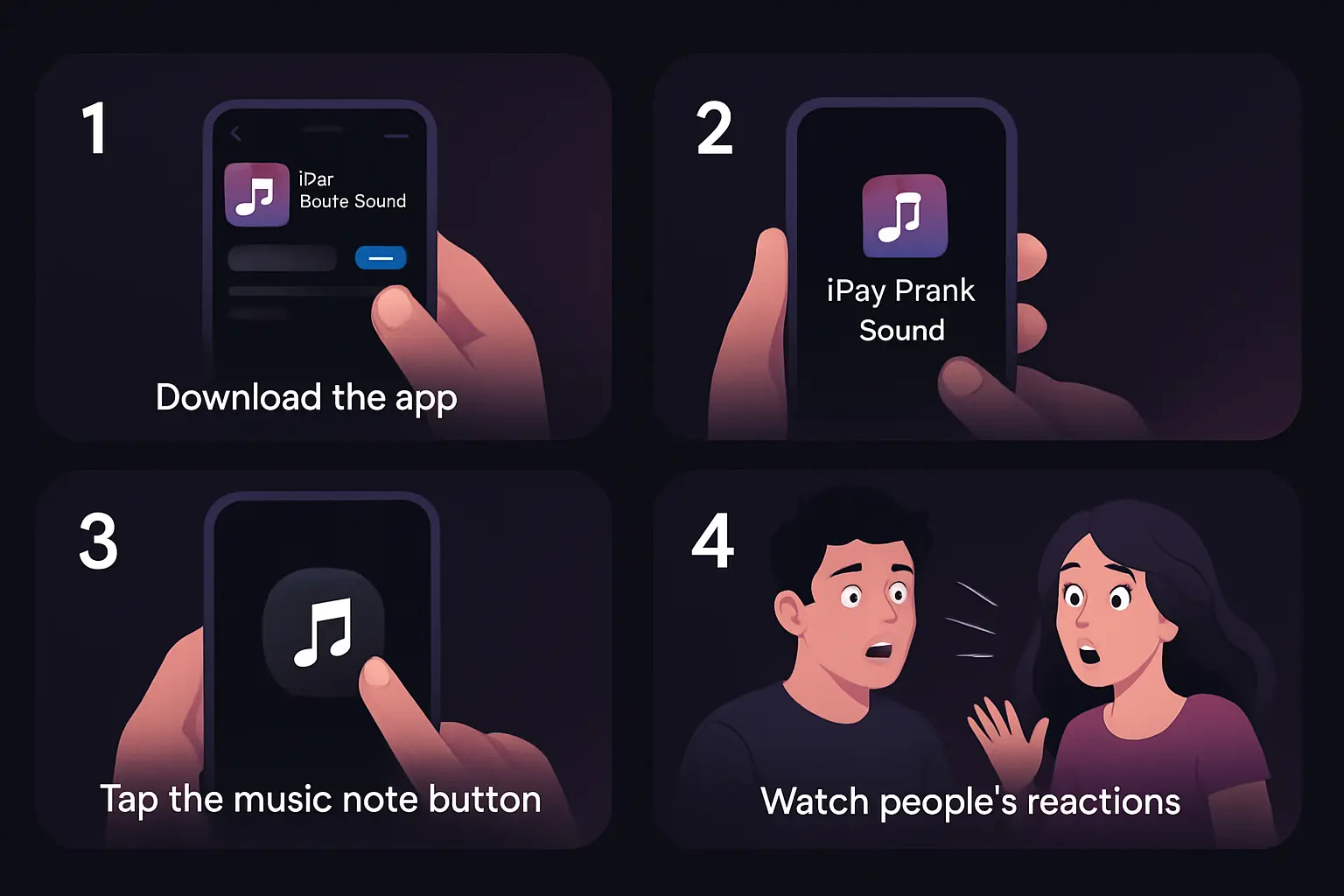
- Download the app - Get iPay Prank Sound free from Google Play. (iPhone version coming soon to the App Store.)
- Pick a sound - Tap Pay Ding or Pay Chime. The tapped sound becomes your selected sound, with a highlighted border and a "✓ SELECTED" badge.
- Play it at the right moment - Playback is instant, with no lag. Star a sound to make it a favorite.
- Go further with a fake receipt - On Android, open the Receipt tab, type an amount (up to 999,999.99), tap Send and a full-screen "payment sent" animation plays with your sound.
That's it. No registration, no setup and no permission prompts. Just a realistic payment sound effect, a cash register "ka-ching" in your pocket.
On Android now, on iPhone soon
On Android, iPay Prank Sound has four tabs: Sounds (the soundboard), Receipt (the fake payment screen), Whiplash and Settings, where you'll find the default sound picker, dark mode, in-app volume, haptics, a prank counter reset and the About page. It runs on Android 7.0 and later, on phones, foldables (including Galaxy Z Fold and Flip cover screens) and tablets, and wide screens get a side navigation rail.
On iPhone, the app is coming soon to the App Store as Ka-Ching! Prank Sounds. It has two tabs, Sounds (Ding and Chime, with a glowing pulse, ripple ring and bouncing emoji on every tap) and Whiplash, with Settings behind the gear icon in the top right. Favorites and the prank counter work just like on Android. The fake receipt screen is Android-only.
| Feature | Android | iPhone (coming soon) |
|---|---|---|
| Apple Pay-style sounds | Pay Ding, Pay Chime | Ding, Chime |
| Whiplash whip crack | Yes | Yes |
| Swing strength & motion switch | Yes | Yes |
| Tap to Crack button | Yes | Yes |
| Fake payment receipt | Yes | No |
| Favorites & prank counter | Yes | Yes |
| Dark mode, volume, haptics | Yes | Yes |
| Requires | Android 7.0+ | iOS 15.0+ (iPhone) |
| Price | Free | Free |
Perfect For
Pranking Friends
Surprise your friends in public and watch their confused faces when a payment sound comes out of nowhere.
Whipping Coworkers Back to Work
Long coffee break? One flick of the wrist and a whip crack sound gets the whole office laughing, and maybe even working.
TikTok & Reels
Film prank videos for TikTok, Instagram Reels or YouTube Shorts showing people's reactions to a fake payment sound or a surprise whip crack.
Game Night Buzzer
Use the whip crack as a buzzer for quiz night, charades or "time's up!" in any party game.
Comedy Skits
Add realistic money sound effects and whip noises to your skits without any sound equipment.
Parties & Group Gatherings
Startle your roommate, make a dramatic entrance or liven up a party with a prank that gets everyone laughing.
What Users Are Saying
Why choose iPay Prank Sound?
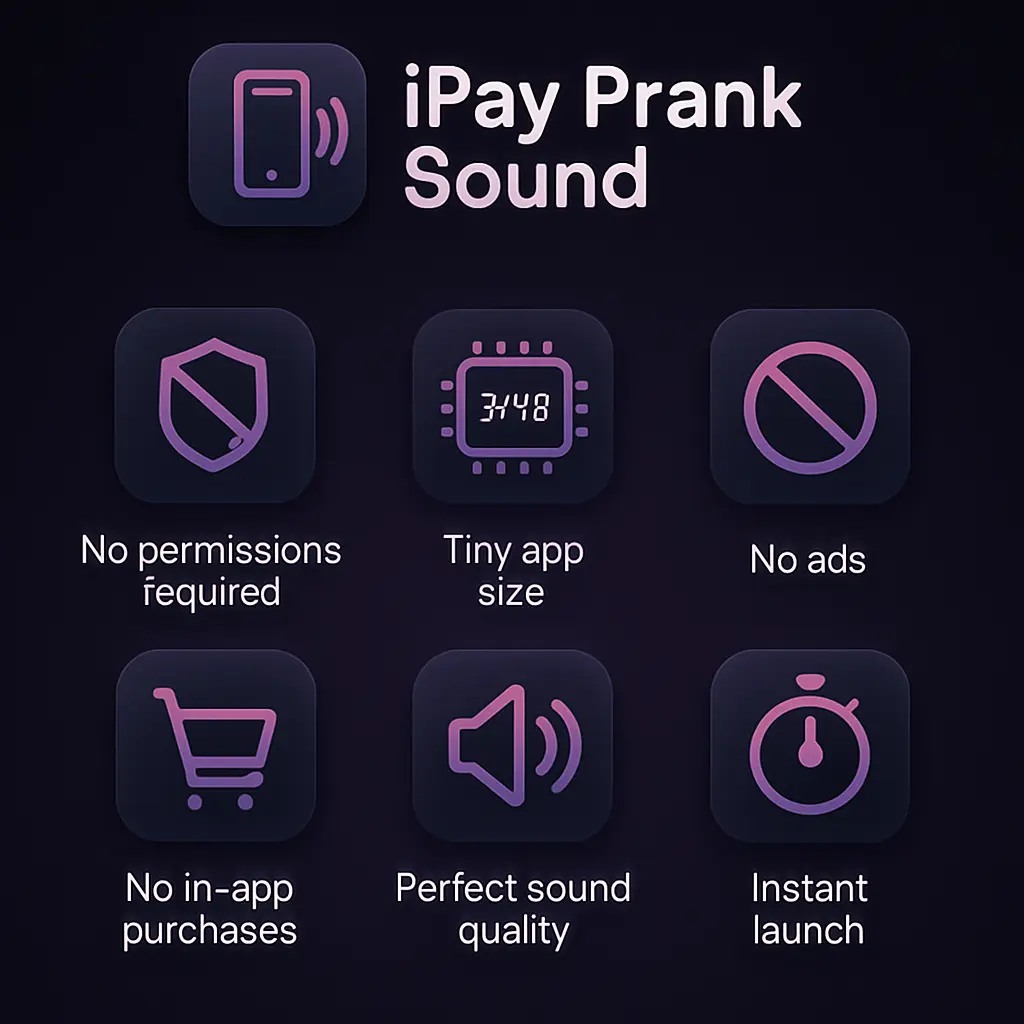
Most prank sound apps are stuffed with ads, pop-ups and paywalls. I built iPay Prank Sound to be the opposite: a focused, free prank sound app with no ads that opens instantly and just works.
- No Ads, Ever - A clean, distraction-free app with no banners, no pop-ups and no video ads.
- No In-App Purchases - Every sound and every feature is free, including Whiplash. No subscriptions, no premium tier.
- No Account or Tracking - No sign-up, no login, no analytics. I don't collect any personal data.
- Works Offline - A prank app that works offline, on a plane, underground or anywhere without signal.
- Instant Playback - Opens in a split second and plays with no lag, so you never miss the perfect moment.
- Built for Every Screen - Phones, foldables and tablets, in light or dark mode.
Sometimes the simplest apps bring the most joy. Download it today and start creating memorable moments!
Prank Ideas & Tips
The Coffee Shop Prank
Sit in a busy coffee shop and play the payment sound while pretending to tap your phone on the table. Watch people check their phones and wallets.
The Checkout Line Surprise
Play the ding in a store queue and act surprised. Fellow shoppers will wonder whose payment just went through.
The Group Dinner Split
When it's time to split the bill, "pay" your share with the sound and the fake receipt screen (Android), then reveal the joke.
Back to Work!
Walk past a long coffee break, flick your wrist and let the whip crack do the talking. Instant office legend.
The Roommate Startle
Wait until your roommate is deep in a show, then crack the whip from the doorway. Keep a firm grip!
The Slow Driver Whip
Friend taking forever to get ready? Film a dramatic whip crack and drop it in the group chat.
What's new in version 2.0
- Whiplash tab - Swing your phone like a whip to play a loud, realistic whip crack, with haptics and a cartoon "CRACK!" pop.
- On-page controls - Swing strength (Light, Medium, Firm, Hard) and a "Swing to crack" motion switch, right on the Whiplash page.
- One crack at a time - Overlapping swings are ignored, so the sounds never pile up.
- Smoother soundboard taps - Tapping a sound feels smoother on the Sounds tab.
- iPhone version on the way - Coming soon to the App Store as Ka-Ching! Prank Sounds.
Apple Pay sound prank for iPhone: coming soon
Wondering if there's an iPhone version? Yes, it's coming soon to the App Store as Ka-Ching! Prank Sounds. It's the same free, ad-free prank app, with the Ding and Chime soundboard and the full Whiplash whip crack, made for iPhone.
- Whip crack sound app for iPhone - Swing to crack, swing strength, the motion switch and Tap to Crack, all included.
- Ka-ching sound soundboard - Ding and Chime, with a glowing pulse, ripple ring and bouncing emoji on every tap.
- Free, no ads, no account - Same promise as on Android.
- Requires iOS 15.0 or later - Built for iPhone; it also runs on iPad in iPhone mode.
- No fake receipt - The payment receipt screen stays Android-only.
I'll add the App Store link here as soon as it's live. Until then, Android users can get iPay Prank Sound on Google Play.
Private by design
iPay Prank Sound collects no personal data, has no analytics or tracking, shows no ads and makes no network requests. Your theme, volume, haptics, favorites, prank counter and Whiplash settings are stored only on your device.
Whiplash reads the motion sensors only while the Whiplash tab is open and the app is on screen. Motion is processed instantly on your device and is never stored or sent anywhere. There's no permission prompt on Android; on iPhone you may see a one-line motion notice. Read the full iPay Prank Sound privacy policy.
Technical details
| App name | iPay Prank Sound (Android); Ka-Ching! Prank Sounds (iPhone, coming soon) |
|---|---|
| Availability | Available now on Google Play; coming soon to the App Store |
| Requirements | Android 7.0 (API 24) or later; iOS 15.0 or later (iPhone) |
| Devices | Android phones, foldables and tablets; iPhone (runs on iPad in iPhone mode) |
| Version | 2.0 |
| Price | Free |
| Ads | None |
| In-app purchases | None |
| Account required | No |
| Internet required | No, works fully offline |
| Data collected | None |
| Orientation | Portrait |
| Developer | v12hero |
Ready for Some Fun?
Download iPay Prank Sound free and start pranking with the payment ding, the fake receipt and the brand-new whip crack.
Free on Android. iPhone version coming soon to the App Store as Ka-Ching! Prank Sounds.
Frequently Asked Questions
What is iPay Prank Sound?
iPay Prank Sound is a free prank soundboard app that plays a realistic Apple Pay-style payment ding or chime with one tap, shows a fake payment receipt on Android, and includes Whiplash, which plays a loud whip crack when you swing your phone like a whip.
How do I make a whip sound with my phone?
Open the Whiplash tab, hold your phone firmly and snap your wrist like you're cracking a whip. A realistic whip crack plays instantly with a vibration and a cartoon "CRACK!" pop. You can also tap the Tap to Crack button without swinging.
Is there an app that makes a whip sound when you swing your phone?
Yes. iPay Prank Sound's Whiplash feature uses your phone's accelerometer and gyroscope to detect a whip-like swing and plays a whip crack sound effect. It's free on Google Play, and the iPhone version is coming soon to the App Store.
Is iPay Prank Sound available for iPhone?
It's coming soon to the App Store as Ka-Ching! Prank Sounds, with the Ding and Chime soundboard and Whiplash. It needs iOS 15.0 or later. The fake payment receipt is Android-only.
Is there a whip crack sound app for Android?
Yes. iPay Prank Sound is a free whip crack sound app for Android 7.0 and later. Swing your phone to crack the whip, or use the Tap to Crack button.
Will shaking my phone or walking set off the whip?
No. Whiplash needs a fast wrist rotation and a sharp jolt together, so a plain shake, walking or a phone in your pocket won't trigger it. If it still cracks too easily, move Swing strength up to Firm or Hard. Firm is the default.
My swings don't crack the whip. What should I do?
Move Swing strength down to Medium or Light, swing with a quicker wrist snap, and check that the Swing to crack switch is on.
Can I turn off the motion and just tap?
Yes. Switch off Swing to crack on the Whiplash page and crack the whip with the Tap to Crack button only.
Can I play the Apple Pay sound prank on Android?
Yes. iPay Prank Sound brings an Apple Pay-style payment sound prank to Android, with two sounds, Pay Ding and Pay Chime, plus a fake payment receipt animation.
Is iPay Prank Sound free? Does it have ads?
Yes, it's completely free, with no ads, no in-app purchases, no subscription and no account.
Does the app work offline?
Yes. iPay Prank Sound works completely offline, so you can use it anywhere without wifi or mobile data.
Does the app need any permissions or track me?
No. There's no permission prompt on Android, and on iPhone you may see a one-time motion notice. Motion is used only on the Whiplash tab, processed on your device, and never stored or sent. The app has no analytics, no tracking and no ads.
Can I adjust the volume of the sounds?
Yes. Use the in-app volume control in Settings, together with your phone's media volume buttons.
Is there a limit to how many times I can play a sound?
No. Play the payment sound or crack the whip as many times as you like. Every play counts toward your prank counter.
What's new in version 2.0?
Version 2.0 adds the Whiplash tab, with swing strength and a motion on/off switch on the same page, plays one crack at a time so sounds don't pile up, and makes soundboard taps smoother.
Is it legal to use this app?
Yes, the app is legal to use. Please use it responsibly, be mindful of others, and never use it to make anyone believe a real payment has happened.